
Import a character card
Download the card as a PNG or JSON from the site it lives on, import it in the Studio, then fill in the few fields the import leaves empty. This page covers Chub, SillyTavern, JanitorAI and any other site.
Get the file
Character Tavern reads SillyTavern cards in two forms. A PNG card stores the character text inside the image file, so one download brings the portrait and the definition together. A JSON card holds the same text without the image. Versions 1, 2 and 3 all work. CharX archives, chat exports and screenshots do not. Pick the site the character lives on.
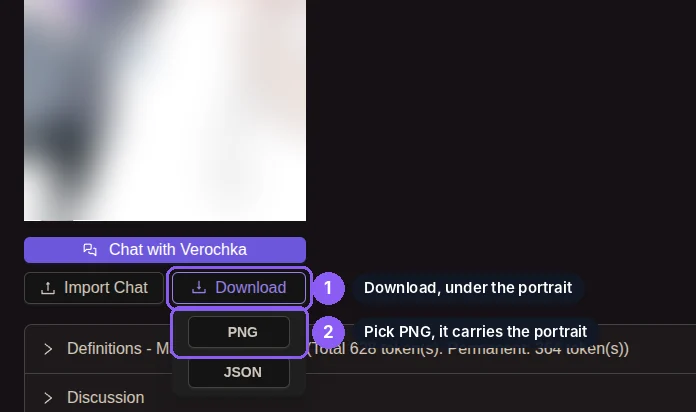
Open the character on chub.ai. Under the portrait, press Download, then PNG. The file contains the portrait and the whole definition.
In SillyTavern, open the character panel, press Export and choose PNG. RisuAI, Backyard AI and Agnai export the same file. When an app offers CharX next to PNG, choose PNG.
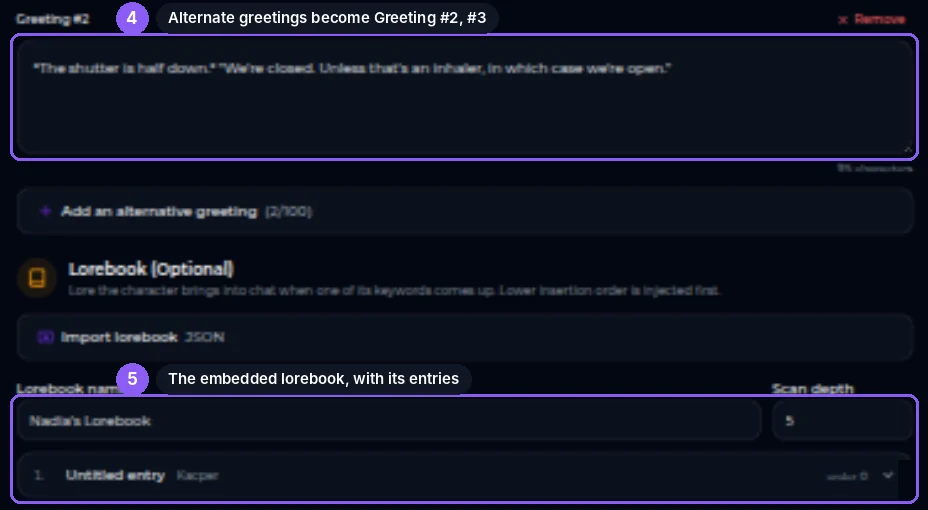
A world info file saved outside the card is a lorebook. Import it with the Import lorebook button in the Lorebook section of the form, not with Import a card.
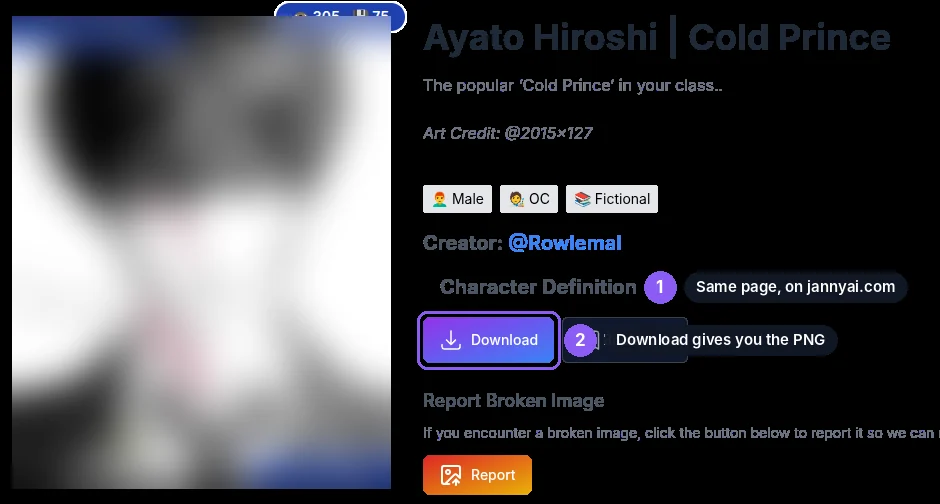
JanitorAI has no download button. jannyai.com mirrors its catalog. Open the character on JanitorAI, then in the address bar replace janitorai.com with jannyai.com and keep the rest of the address. The same character opens on the mirror with a Download button. The download is a PNG card.
If the mirror does not have the character and the creator made the definition public on JanitorAI, copy the definition into the Definition field and the first message into the Greeting field by hand. If the definition is hidden and the mirror does not have it, the creator chose to keep it, and this guide ends there.
Search the web for the site's name followed by "SillyTavern card" or "export to SillyTavern". Any method that produces a PNG or JSON card in the SillyTavern format works. Prefer the PNG, because a JSON card has no portrait.
If the site shows only a greeting and a short description, paste those into the form and write the Definition yourself.
Import it
Open the Studio, press Import a card and pick the file. A dialog names the character and offers one checkbox, Import legacy advanced definitions. Leave it unchecked and press Import. The card fills the form. Nothing is saved until you press Save draft or Create character.

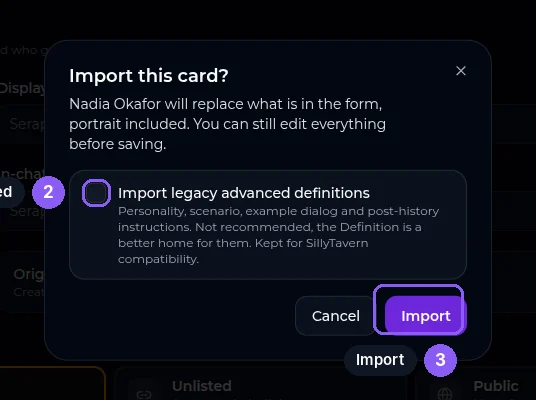
If the Definition field is nearly empty after the import, the card keeps its text in the personality, scenario and example dialog fields. Import the file again with the checkbox ticked. The text lands in the advanced fields at the bottom of the form. Move it into the Definition.
Check, then save
- The Tagline is empty and required. Write one sentence for people browsing the catalog.
- No content warning is ticked. Tick Spicy, Mature or Youth where they apply.
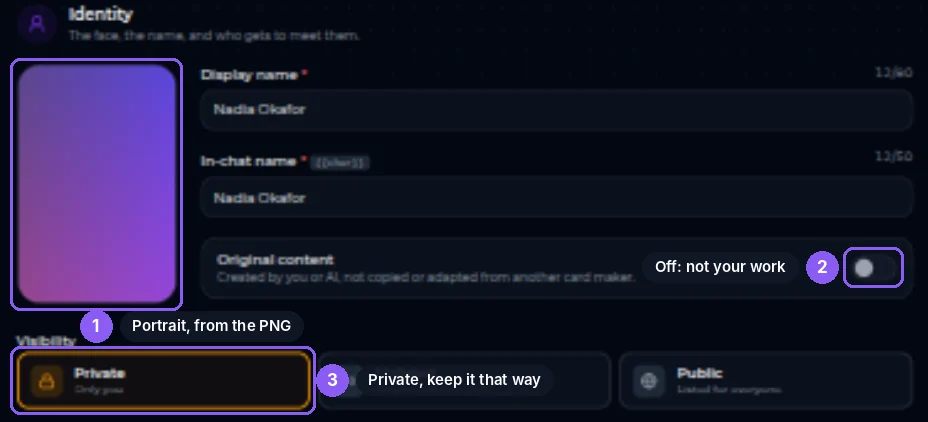
- A PNG import fills the portrait. A JSON import leaves it empty, so upload an image with a 2:3 ratio, up to 20 MB.
- Tags come through unchanged, including housekeeping tags other sites add, such as "tavern". Remove the ones that mean nothing on Character Tavern.
- The import turns Original content off and leaves visibility on Private. Change them only if the card is your own work.
Press Save draft to come back later, or Create character to finish. To import a second card, open the Studio again from the menu. An import only overwrites the fields the new card provides, so a lorebook or a public description from the first card would otherwise stay in the form.
- "No character data found in this PNG file."
- The image lost its hidden card data on the way. That happens when it passes through Discord, WhatsApp, a screenshot or an image editor. Download the file again from the site, or use the JSON.
- "The character card format is not recognised or is missing required fields."
- The JSON is not a character card. It is a chat export, a lorebook on its own, or a CharX archive renamed to .json. Download the file labelled card, Tavern or SillyTavern. A lorebook file goes through Import lorebook instead.
- "Pick a character card PNG or a JSON file."
- The file is a JPG, a WebP or another type. Cards only come as PNG or JSON.
- "The character card data is not valid JSON."
- The file was edited or cut short. Download it again.
You may keep someone else's card private for your own chats. To publish it, you need the creator's permission, and you must keep proof of it. If the card is your own work from another site, publish it as you like and turn Original content on.
The full rule is No stolen characters in the content rules.